
Router Set Up Guide - FTTP
Updated on 03 Feb, 2026FTTP Router Setup Guide
Broadband Technical Support Team: 03300 539114
Hi! Welcome to Neatley.
What to do if you have purchased a router from Neatley
If you have purchased a router from Neatley, the router is pre-configured to our Network Settings; this means you do not need to configure it or reset the device. All you need to do is setup the equipment properly, plug and go!
If Neatley have sent you a router, please do not reset the device unless you are explicitly told to do so by
Tech Support over the phone.
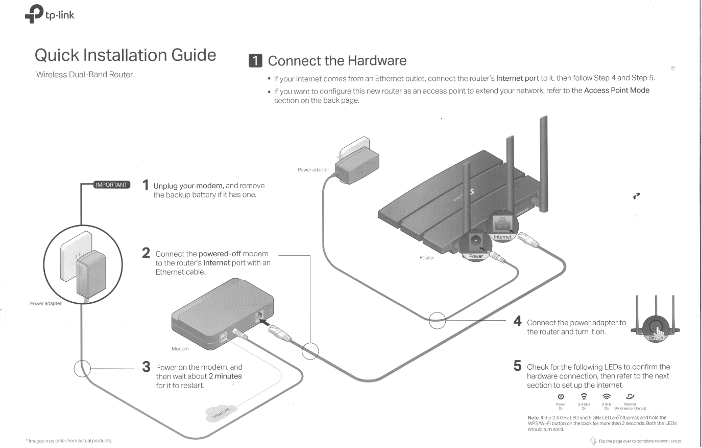
Connecting your device to the modem router.
Wired:
Connect your computer’s Ethernet port to the LAN port (yellow) on the modem router via an Ethernet cable (1).
Wirelessly:
Use the default SSID (Wireless Network Name) and Wireless Password (8 digit pin) printed on the product label underneath the modem router to connect wirelessly.
Please note, you will always have a stronger and more stable connection when you are plugged in directly to the router using the Ethernet cable. A wireless connection, since it is similar to radio waves can be easily interfered with. We always suggest to locate the router away from large electrical sources, lighting and devices using magnets, ie speaker systems.
Not using a Neatley Router?
Neatley has a dedicated Broadband Technical Team who can help you to configure your router settings. If you are configuring a router that was supplied by your previous provider, there is no guarantee it can be configured as your current provider may have locked your router which means it may not work with our Network. However our Broadband Technical Team will do their best to get you connected. We do advise getting the admin username & password to access you existing router from your current supplier prior to coming over to Neatley.
If you have tried to configure your own router and you are finding difficulty in doing so, please call our dedicated Broadband Technical Team on 03300539114 and they will help.
Did this article help?